Wires across an open sky
Remove cables crossing a travel photo or sunset. Smooth skies provide nearby color information, but check gradients for visible bands after editing.
AI photo brush
Thin overhead wires can interrupt a sunset or architectural photo. Follow each line with a narrow brush and let AI fill the selected strip from the surrounding scene. Work carefully where wires cross roofs, branches, or other details you want to keep.
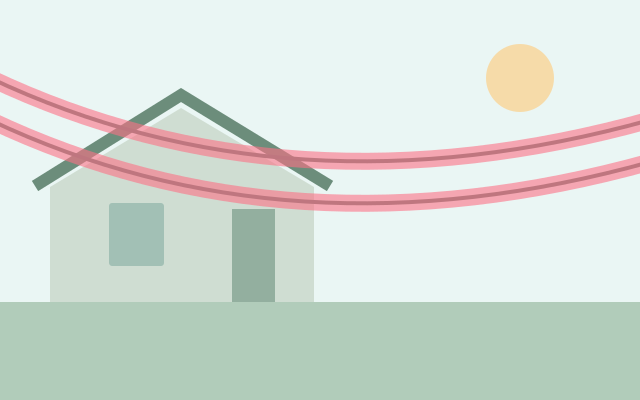
Selection guide · illustration, not an edit result
Follow the wire with a narrow selection, including its faint edges. Split the work where a line crosses a roof or changes background.
2 free edits per network IP every 24 hours, shared across all tools. JPG, PNG, WebP; up to 10 MB and 16 MP.
Step 1
2 free edits per network IP every 24 hours. Failed edits do not count.
Remove cables crossing a travel photo or sunset. Smooth skies provide nearby color information, but check gradients for visible bands after editing.
Clean overhead wires in your building photo. Inspect rooflines, window edges, and branches carefully where a wire intersects them.
Use a JPG, PNG, or WebP within 10 MB and 16 megapixels. Choose a clear image so thin wire edges are visible.
Cover the line’s full thickness and a narrow margin. Work in short sections near buildings or foliage instead of masking a wide stripe.
Process the selection and look along the former wire path. Check roof edges and color transitions, then download the PNG.
A wire over sky and the same wire over leaves need different context. Smaller sections make it easier to inspect and repair a difficult crossing.
Erasing cables does not select the supporting pole automatically. A large pole hides more of the scene and can require a separate, carefully reviewed edit.
No. Trace them with the brush. Thin, low-contrast lines can be easy to miss, so inspect the whole photo before and after processing.
The editor attempts to rebuild the marked roof region, but straight edges can bend or break. Keep the selection narrow and compare each crossing with the original.
You can mark it separately, but poles cover more background than wires. A large pole near a building or tree may be difficult to reconstruct naturally.
Choose a task for selection advice, practical steps, and what to expect from the result.